Reviewed October 29, 2026
How to Play Build An Anime Character
Find a match table, assign five character stats, and read your first result in this Roblox beginner guide.
Quick answer
Join the Tomark Interactive experience, find a table with an opponent, watch the rolled character and select an empty stat slot. Fill Strength, Speed, Abilities, IQ and Durability, then review your result before rematching.
Complete your first round
Follow the prompts currently shown by the game.
Join the right experience
Join the official game and find a table.
- Success check
- An opponent is opposite you and the selection screen opens.
- If it remains unclear
- Follow the current interaction prompt; check the game identity if the screen differs.
Read the supporting evidence
§Join the right experience#
Open Build An Anime Character by Tomark Interactive. The official Roblox place is 124617195142196. This matters because search results also include anime avatar creators and unrelated games.
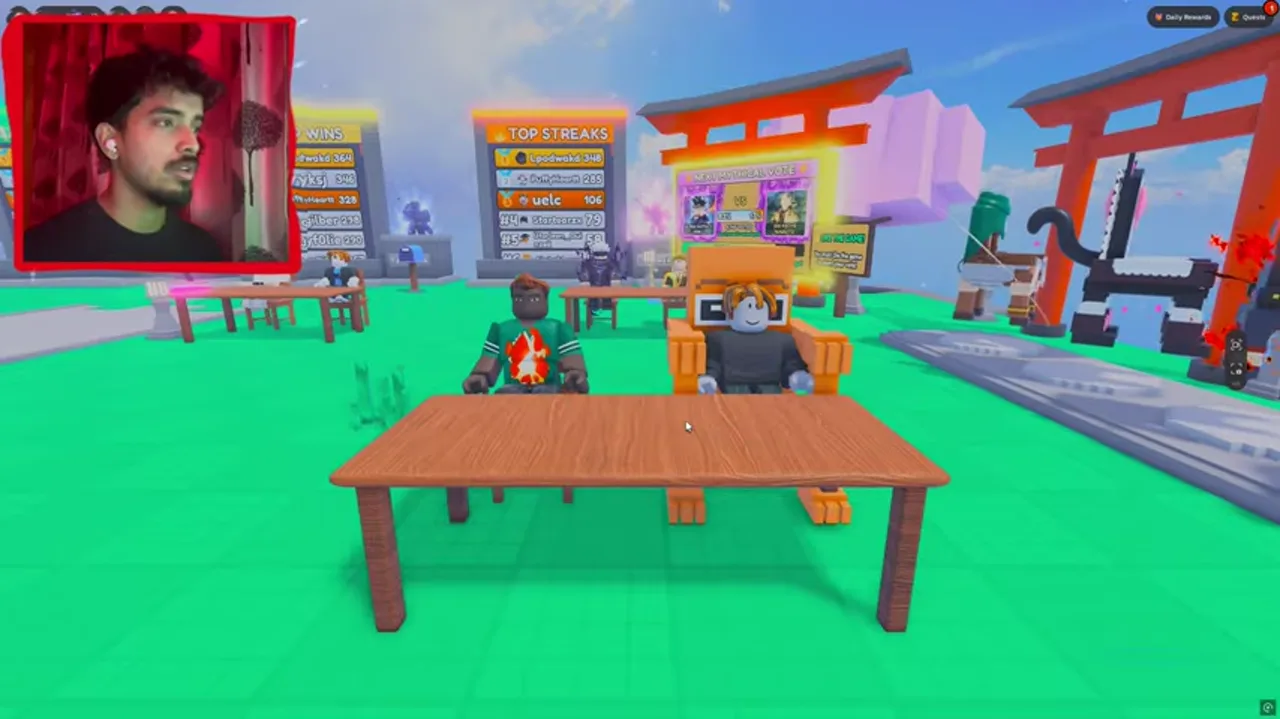
In the reviewed gameplay, players sit opposite one another at a wooden table in the lobby. Find a table and follow its current seat or interaction prompt. The capture does not establish a universal keyboard shortcut for every device.
Read the roll and fill the slots
Assign rolled characters to the five empty attribute rows.
- Success check
- All five rows show a character.
- If it remains unclear
- Check empty plus-sign rows and the active countdown.
Read the supporting evidence
§Read the roll and fill the slots#
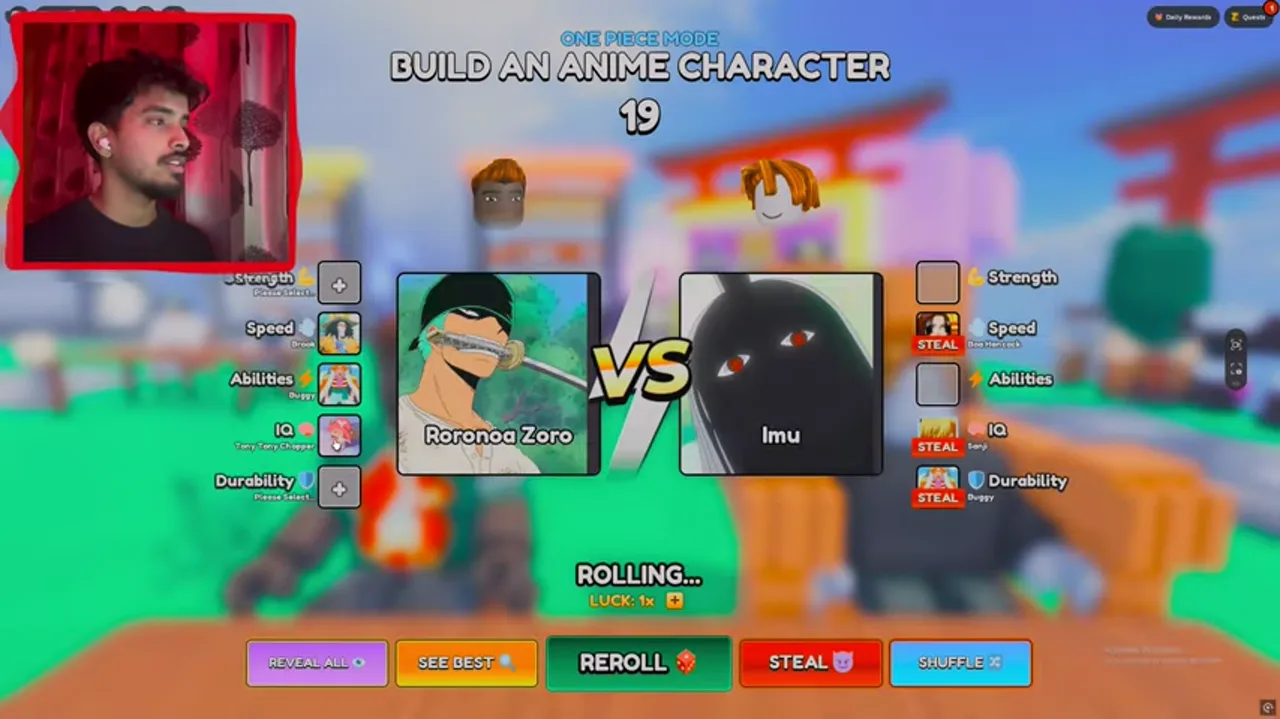
The match screen puts your rolled character in the centre and your five attribute slots on the left. Empty slots display a plus sign and a selection prompt. The reviewed screen also shows a countdown above the character cards.
Choose the attribute you want that character to supply. The recorded round shows different characters filling different rows. Check which rows are still empty before the next selection so you can finish the complete fighter.
The screen includes Reveal All, See Best, Reroll, Steal and Shuffle controls. Their presence is visible, but current prices and full effects have not been verified. Read any in-game purchase prompt before using one.
Finish the round and review
Wait for the opponent, then read the five result values.
- Success check
- The result and Rematch control appear.
- If it remains unclear
- Use the troubleshooting guide if the round remains stuck.
Read the supporting evidence
§Finish the round and review#
After selections are complete, the capture shows a waiting-for-opponent state before a result appears. Give the other player time to finish. Repeatedly pressing a paid control is unnecessary when the screen is simply waiting.
The result screen lists the chosen characters and their values, a letter grade, AVG SCORE and a radar chart. Compare the smallest values first. A visible Rematch control offers another round; check that both players are ready.
Wins earn cash according to the official description. Exact payout amounts and the full ranked system are not documented in the material reviewed, so avoid planning around a fixed cash-per-minute claim.
Questions and answers
Do I use one character for the whole build?
The official description says to combine stats from different characters. The gameplay capture shows separate character choices in the five stat rows.
Is it an action combat game?
The reviewed match is driven by rolling and assigning character stats at a table. It ends with a comparison screen. This guide does not claim movement combos or real-time fighting controls.
Scope and sources
Official announcements and reviewed gameplay; current untested details are identified in the text.
- Screens and character pools can change with updates. Check the mode and the value shown in your current match before committing a roll.